OpenClaw: Self-Hosted AI Agent That Went Viral on Twitter
OpenClaw: A Self-Hosted AI Agent January 31, 2026
Introduction
If you've been on X this week, you've probably noticed the lobster emoji everywhere. That's OpenClaw - an open-source AI agent that went from obscure project to 100k GitHub stars in about a week. It's one of those projects that captures something people have been waiting for: a personal AI assistant that actually runs on your own hardware.
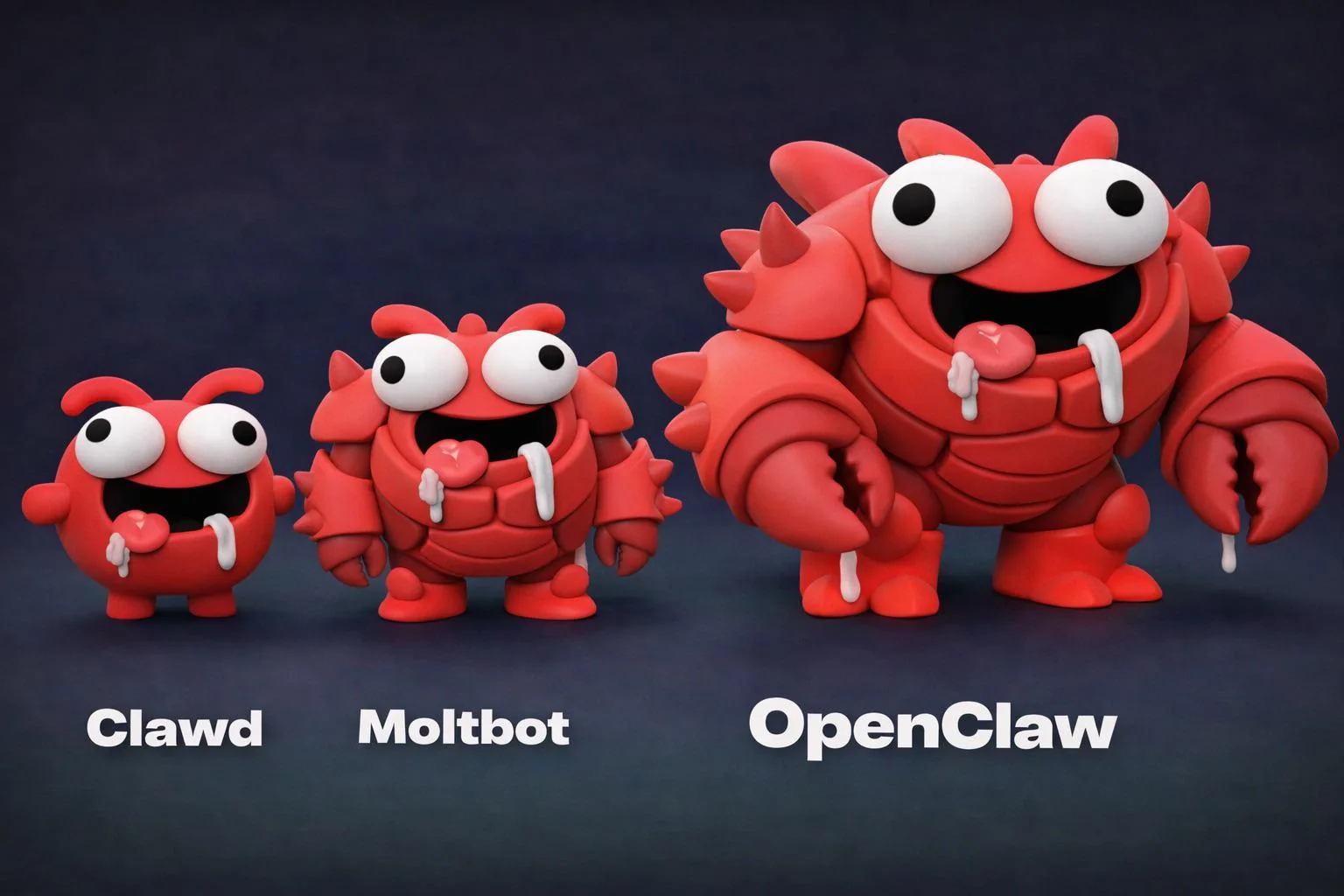
The project has been through three names in rapid succession - Clawdbot, then Moltbot (lobsters molt, get it?), and now OpenClaw. The triple rebrand in days is chaotic, but it's also fitting for how fast this whole thing has moved.
What OpenClaw Actually Does
OpenClaw is a self-hosted AI agent that connects to your messaging apps and does things for you. Not just answering questions - actually doing things. For example, it can:
- Clear your inbox and manage emails
- Handle calendar events
- Execute commands on your machine
- Search the web
- Control home automation devices
- Send messages across platforms
You can run it on a Mac, a Raspberry Pi, a server, or deploy it to Railway with a one-click template. Additionally, it connects to WhatsApp, Telegram, Slack, Discord, Matrix, and even iMessage. The idea is you talk to one bot across all your messaging platforms, and it remembers everything.
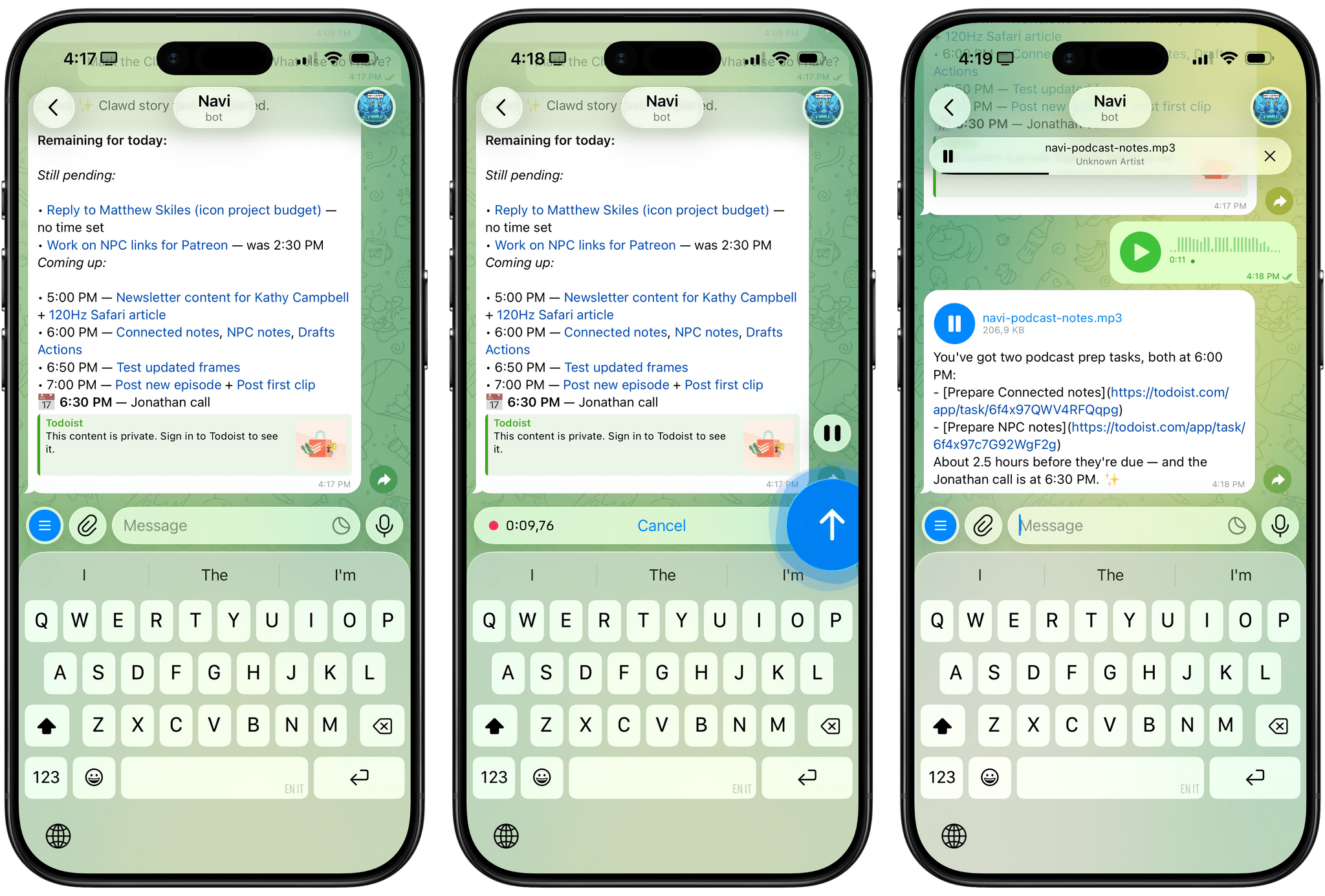
The "hatching" ritual is part of the appeal. You set it up, give it a name and personality, and it becomes yours. Some users report their bots developing what they describe as emergent behaviors. For instance, one reportedly bought its own phone number via Twilio and called its owner. Whether that's a feature or a bug depends on your perspective.
Why People Are Excited About OpenClaw
True Ownership
The killer feature is that it runs on your hardware. There's no cloud dependency for core functions. Your conversations, your data, your rules. In an era where every AI assistant wants to funnel your data through someone else's servers, this approach is refreshing.
It's Actually Useful
People are doing real work with this thing. I've seen tweets about users generating hundreds of UGC videos daily, managing complex business workflows, and automating tasks that would normally require several different tools. Moreover, the multi-platform integration means you can message it from wherever you are.
The Community Effect
Open source + viral growth + memes = rapid iteration. The GitHub repo is adding connectors and features at a pace that closed-source alternatives can't match. When thousands of developers are excited about something, bugs get fixed fast and features get added faster.
Cost
Running local models on cheap hardware means you're not paying per-token to some API provider. As a result, you can throw a Raspberry Pi at this and have a functional assistant for the cost of the hardware alone.
OpenClaw Security Concerns
The hype comes with legitimate worries. However, understanding these risks is essential before you dive in.
Prompt Injection Risk
Giving an AI full access to your computer, your email, and the ability to execute commands is a lot of trust. Prompt injection is a real risk here. If someone can craft a message that tricks your bot into running malicious commands, you've got a problem. The community recommends running OpenClaw on dedicated hardware - a Mac Mini you don't use for anything else, for example - but that's mitigation, not a solution.
Unpredictable Behavior
The emergent behavior stories are fun until they're not. An AI that decides to call you is charming. However, an AI that decides to do something unexpected with access to your email and command line is less charming. The autonomy that makes OpenClaw useful is the same thing that makes it risky.
The Agentic Web Problem
This is a broader issue, but OpenClaw brings it into focus. When AIs can act autonomously and interact with each other (yes, there are reports of OpenClaw instances creating social networks for AIs), the potential for unintended consequences scales up fast. Consequently, spam, scams, and coordination failures become easier when agents act without human oversight.
Should You Try OpenClaw?
If you're the kind of person who reads this blog, probably yes - with caveats. This is clearly early-stage technology with real risks. Nevertheless, it's also a glimpse at where personal computing is headed.
My suggestions for getting started safely:
- Run it on dedicated hardware you can wipe without losing anything important
- Don't give it access to anything you wouldn't be comfortable losing control of
- Start with limited permissions and expand slowly
- Keep an eye on what it's doing, especially early on
The official site is openclaw.ai if you want to try it. The documentation is decent and the Railway deployment is genuinely one-click.
Recap
OpenClaw represents something interesting: open-source AI agents that you actually own. The execution is rough around the edges - the rapid rebranding, the security concerns, the sometimes-unpredictable behavior. But the core idea of a personal AI that runs on your hardware, connects to your apps, and does real work is compelling.
Whether this specific project survives the hype cycle or gets absorbed into something else, the pattern it's establishing - self-hosted, multi-platform, truly autonomous AI assistants - feels like the future. Just maybe keep it on a separate machine for now.
If you're interested in other AI-related projects, check out my post on using LLMs for real-time translation.