Docker Send Email with Bash Scripts (bytemark/smtp + Gmail SMTP)
Introduction
If you run Docker on a home server, you probably want basic email alerts. I wanted a simple way to send a message when a cron job finished or a backup failed.
This setup took less time than I expected. It uses a tiny SMTP container and a reusable bash script.
The Components
- Gmail account with an App Password
- Docker Compose running bytemark/smtp
- A simple bash script called
send_email.sh - Cron
Gmail Account
Other providers work, but I used Gmail. If you have steps for other providers, feel free to open a PR: https://github.com/afallon02/blog
Docs for Google App Passwords: https://support.google.com/accounts/answer/185833?hl=en
Docker Compose running bytemark/smtp
I use Docker Compose for everything. This compose file runs a lightweight SMTP relay.
Image: https://hub.docker.com/r/bytemark/smtp/
version: '3'
services:
  mail:
    image: bytemark/smtp
    restart: always
    environment:
      RELAY_HOST: smtp.gmail.com
      RELAY_PORT: 587
      RELAY_USERNAME: <EMAIL_USERNAME@host.com>
      RELAY_PASSWORD: "<APP_PASSWORD>" # Add secret however you want
    ports:
      - "127.0.0.1:2525:25"
Simple Bash Script
I wanted a reusable script that accepts from, to, subject, and a body via stdin.
#!/bin/bash

# Script to send an email using the local Docker SMTP container.
# This version reads the email body from standard input (stdin).
#
# Usage:
# ./send-email.sh "from@example.com" "to@recipient.com" "Test Subject"
# (and then pipe the body to it, e.g. echo "This is the body." | ./send-email.sh ...)

# --- Config ---
SMTP_URL="smtp://127.0.0.1:2525"

# --- Check for curl ---
if ! command -v curl &> /dev/null
then
    echo "Error: 'curl' is not installed. Please install it to use this script."
    exit 1
fi

if [ "$#" -ne 3 ]; then
    echo "Usage: $0 \"from@address.com\" \"to@address.com\" \"Subject Line\""
    echo "       (Email body must be piped via stdin)"
    exit 1
fi

FROM_ADDRESS="$1"
TO_ADDRESS="$2"
SUBJECT_LINE="$3"

# --- Send the email ---
echo "Connecting to $SMTP_URL..."
echo "From: $FROM_ADDRESS"
echo "To: $TO_ADDRESS"
echo "---"

# We create a subshell to prepend the "Subject:" line to the
# incoming stdin (represented by 'cat -') and pipe it all directly to curl.
(
    echo "Subject: $SUBJECT_LINE"
    echo "" # Required blank line between headers and body
    cat -  # This command reads from stdin and passes it on
) | curl -v \
    --url "$SMTP_URL" \
    --mail-from "$FROM_ADDRESS" \
    --mail-rcpt "$TO_ADDRESS" \
    --upload-file -

echo "---"
echo "Script finished."
Calling it
The simplest usage is a cron job calling a function from a larger script:
30 21 * * * /bin/bash /opt/run disk_usage
The function might look like this:
function disk_usage {
  disk_usage=$(df -h / | awk 'END{print $4}')
  now=$(date +%Y-%m-%d_%H-%M-%S)
  echo "$disk_usage" | /opt/mail/send_email.sh \
          "adam+alerts@adamfallon.com" \
          "adam@adamfallon.com" \
          "Disk Usage: $now"
}
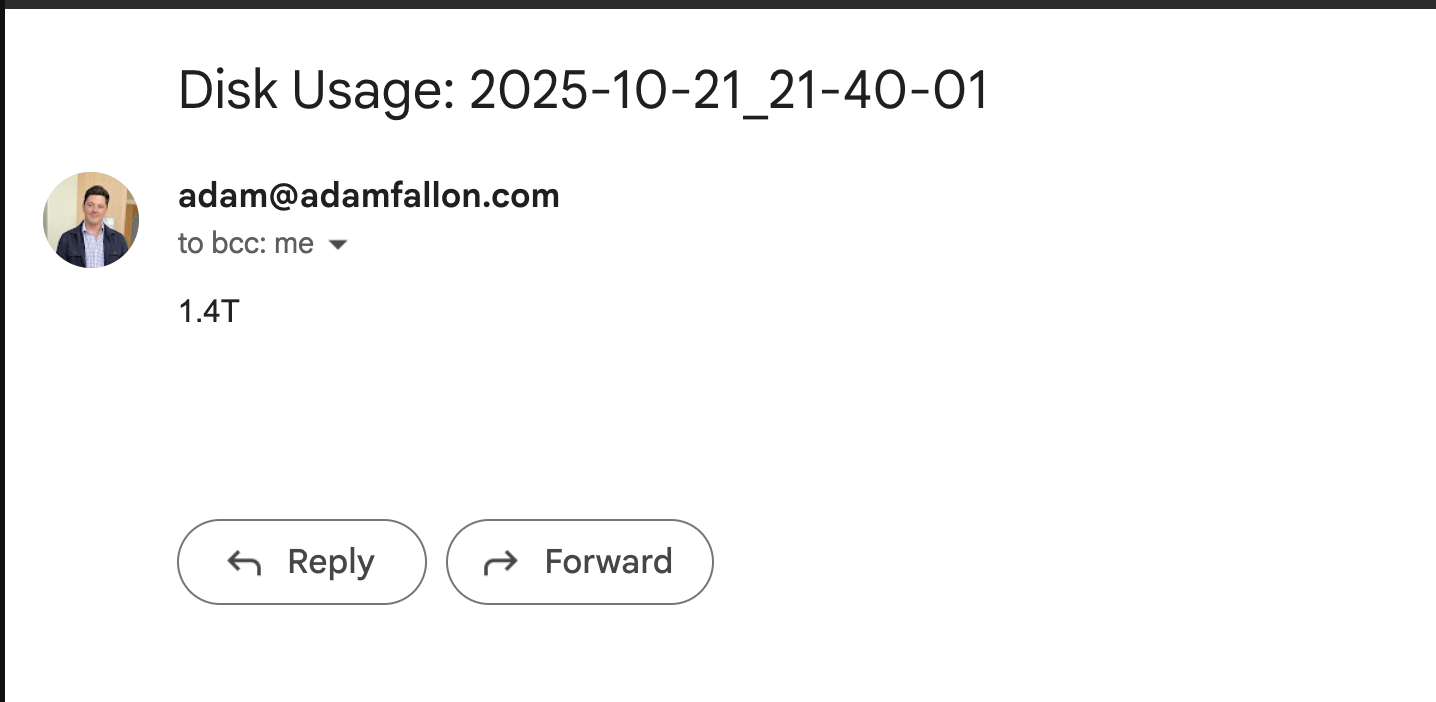
That sends an email like this:
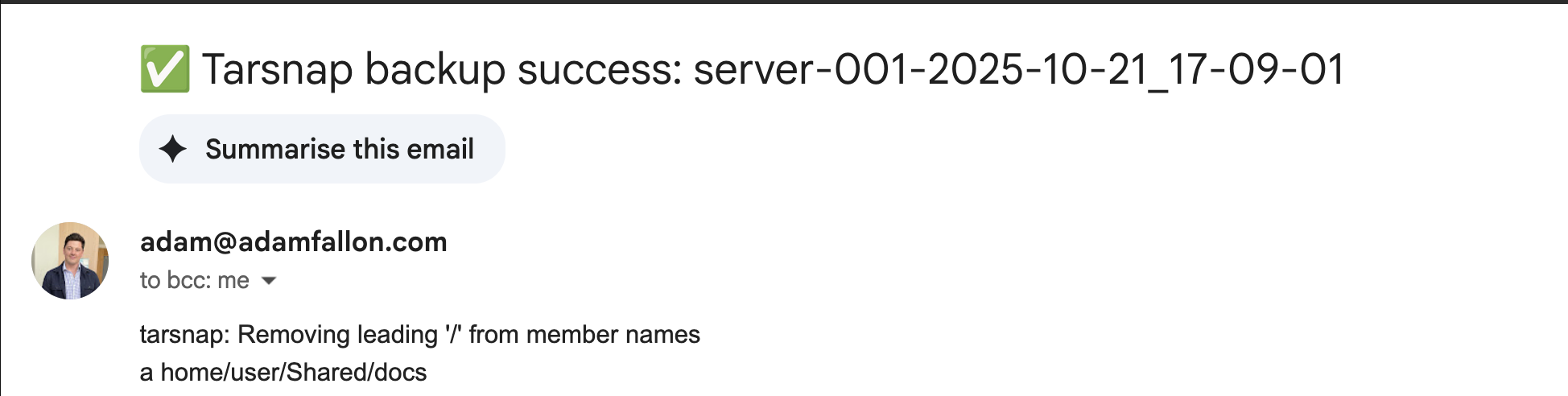
For more complex jobs, like tarsnap backups, I add conditional subject lines:
function create_backup {
    COMPUTER_NAME=$(uname -n)
    NOW=$(date +%Y-%m-%d_%H-%M-%S)
    ARCHIVE_NAME=${COMPUTER_NAME}-${NOW}
    SOURCE_FOLDERS=(
        "/home/user/Shared/docs"
        "/home/user/Shared/books"
    )
    FROM_EMAIL="adam+alerts@adamfallon.com"
    TO_EMAIL="adam@adamfallon.com"
    TARSNAP_OUTPUT_FILENAME=/tmp/tarsnap-output-temporary.log

    echo "Starting tarsnap backup for: ${SOURCE_FOLDERS[*]}"
    echo "Creating tarsnap archive: $ARCHIVE_NAME"

    sudo tarsnap -c -v -f "$ARCHIVE_NAME" \
        --keyfile /root/tarsnap.key \
        "${SOURCE_FOLDERS[@]}" >${TARSNAP_OUTPUT_FILENAME} 2>&1

    if [ $? -eq 0 ]; then
        subject="Tarsnap backup success: $ARCHIVE_NAME"
    else
        subject="Tarsnap backup FAILED: $ARCHIVE_NAME"
    fi
    echo "$subject"

    # Send the email
    /opt/mail/send_email.sh \
        "$FROM_EMAIL" \
        "$TO_EMAIL" \
        "$subject" < "${TARSNAP_OUTPUT_FILENAME}"

    # Clean up the temporary log file
    rm "${TARSNAP_OUTPUT_FILENAME}"
}
Which looks like this:
Conclusion
This is a simple, reliable way to get Docker email notifications for cron jobs. It is not the only way, but it is quick to set up and easy to reuse.
If you are interested in similar self-hosted setups, check out my post on how I build and deploy this blog which also uses Docker for hosting.