Postgres Geospatial Queries: Building Location-Based Features Like YikYak
Categories docker postgres
YikYak showed you posts within about 5 km. To recreate that, you need fast “nearby” queries.
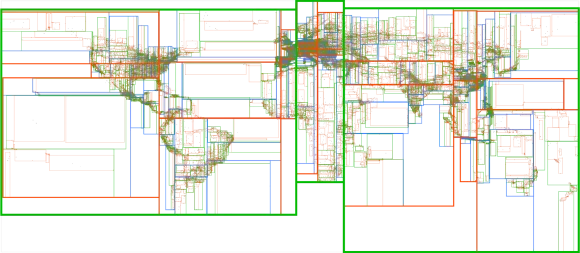
YikYak patented some location bucketing techniques. A modern alternative is an R-tree, a spatial index for coordinates. Postgres can approximate this with geospatial extensions.
In this post we will:
- Enable the required extensions
- Seed a few posts
- Query for posts near a given latitude/longitude
Creating tables
First, start Postgres (Docker is easy, and I have a post on that). I use DBeaver, but psql works too.
Create a simple table with latitude and longitude:
CREATE TABLE post (
        id int8 NOT NULL GENERATED ALWAYS AS IDENTITY,
        post_content text NOT NULL,
        latitude float8 NOT NULL,
        longitude float8 NOT NULL
);
Inserting posts
Insert two posts near central London:
INSERT INTO post VALUES (
        default,
        'I absolutely love the Queen. I hope she thinks I am doing a good job.',
        51.5034,
        0.1276
);
INSERT INTO post VALUES (
        default,
        'The new Prime Minister is a prat! I do hope he doesnt come over often',
        51.5014,
        0.1419
);
Now add an outlier from Cambridge (65 miles away):
INSERT INTO post VALUES (
        default,
        'Day one of my politics degree. Shall be most fun to stalk the halls of Westminister in 4 years.',
        52.2053,
        0.1218
);
Installing Postgres extensions
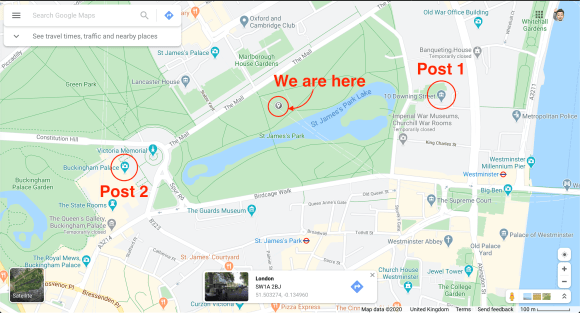
We want to stand in St. James’s Park and see the two London posts, not the Cambridge one. That requires extensions.
Install them with:
CREATE EXTENSION IF NOT EXISTS cube;
CREATE EXTENSION IF NOT EXISTS earthdistance;
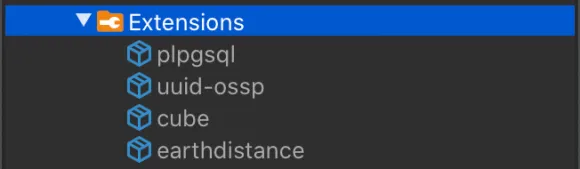
You should now see them under Extensions in DBeaver.
Finding nearby posts
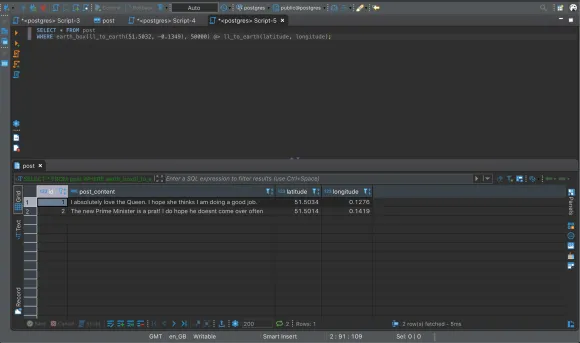
Use earth_box and ll_to_earth to filter by distance:
SELECT * FROM post
WHERE
        earth_box(ll_to_earth(51.5032,-0.1349), 50000)
        @> ll_to_earth(latitude, longitude);
earth_box takes a point and a distance (meters) and returns a bounding box. The @> operator checks whether each row falls inside that box. This should return the two London posts. Increase the distance to include Cambridge.
Why extensions?
Could we just bucket the world into squares and compare lat/long? Not quite. The Earth is a sphere, and “straight line” distance is not straight in geographic coordinates.
earthdistance uses great-circle distance (geodesics) and works with cube to make distance lookups efficient.
Conclusion
This query will do a sequential scan, so it will slow down as the table grows. Add an index to speed it up:
CREATE INDEX loc_index ON post USING gist (ll_to_earth(latitude, longitude));
Postgres will choose the index when it helps. Check the query plan; if it shows SEQ_SCAN, the index is not being used.
If you spot any issues, email me at adam@adamfallon.com.
If you are interested in other data techniques, check out my post on searching large datasets with Elasticsearch.